What Features Should You Look for in a High-Speed 3D Printer?
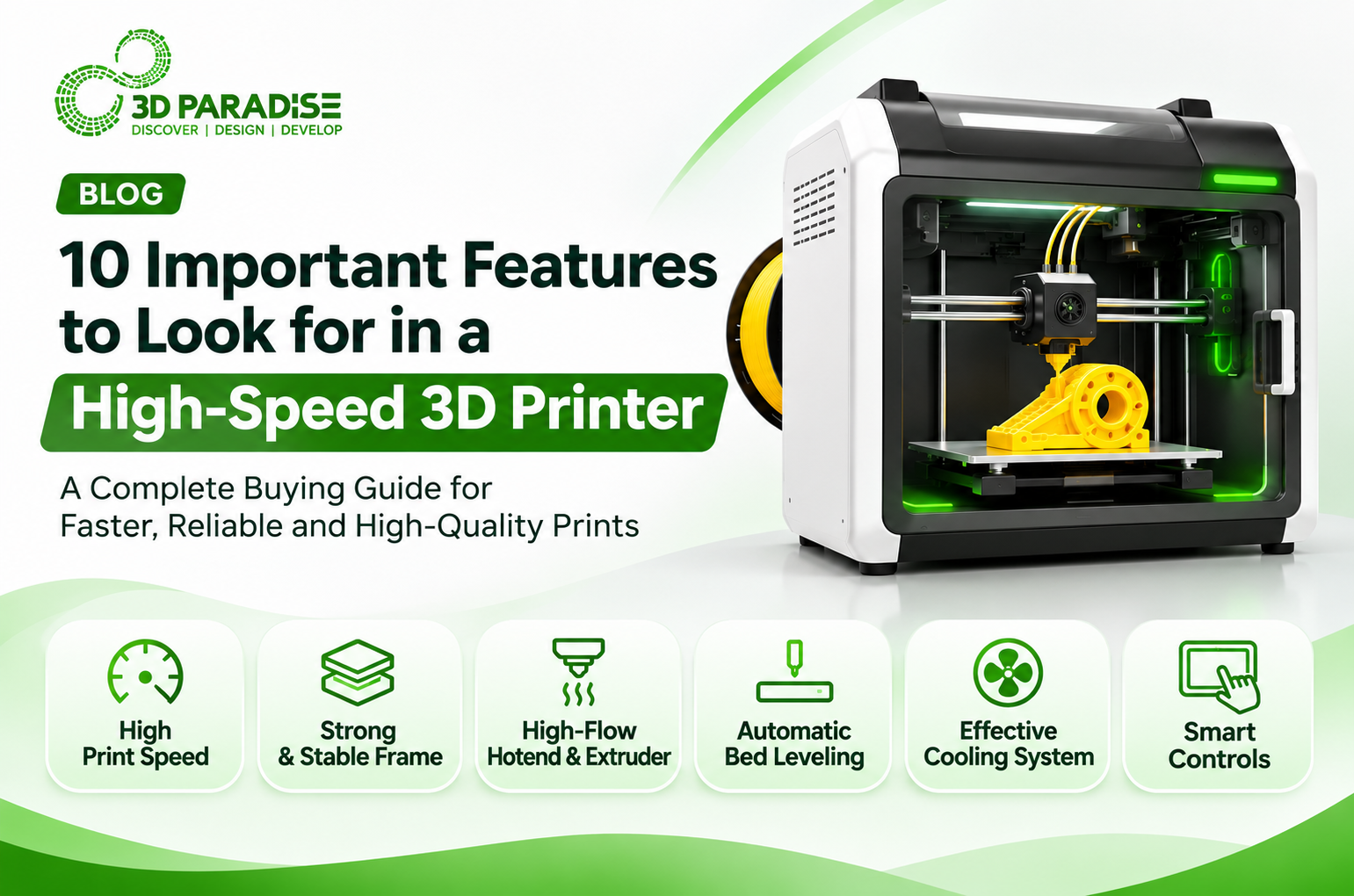
A high-speed 3D printer should have fast printing speed, a strong frame, good cooling, automatic bed leveling, a reliable extruder, and smart controls to produce quality prints.
But speed alone does not make a printer good. A machine that prints very fast but makes weak or messy objects may waste more time than it saves.
When choosing a printer, you need to understand how its features work together. This guide from 3D Paradise If you are also exploring Bambu Lab P2S purchasing options in India, this guide will help you understand which features to check before you decide. explains the important features in simple words so you can make a better choice.
What Makes a 3D Printer High-Speed?
A high-speed 3D printer makes three-dimensional objects by placing material in layers at a faster rate than many traditional printers.
For filament printers, speed is often measured in millimeters per second (mm/s). This tells you how quickly the print head moves.
Some modern printers advertise maximum movement speeds of 500 mm/s or 600 mm/s. However, this does not mean they can print every object at that speed.
The real printing time depends on the object’s shape, the material, the printer’s movement, and its settings.
Understanding 3D Printer Speed
| Speed feature | What it means | Why it matters |
| Maximum print speed | The highest stated printing movement speed | Shows the machine’s possible speed |
| Acceleration | How quickly the printer reaches a higher speed | Helps save time on small movements |
| Travel speed | How quickly the print head moves without printing | Can reduce waiting between printed areas |
| Material flow rate | How much melted plastic passes through the nozzle each second | Helps the printer supply enough material |
| Actual print time | The full time needed to finish an object | Shows how fast the printer really works |
Important: The best way to judge speed is to compare how long different printers take to make the same object with similar quality and settings.
10 Important Features to Look for in a High-Speed 3D Printer
1. High Printing Speed with Consistent Quality
Printing speed is an important feature, but it should never be your only concern.
A good printer should be able to create smooth surfaces, clear shapes, and strong layers while working quickly.
For example, a printer may advertise 600 mm/s but need a slower setting to print small details neatly.
When checking printing speed, look for:
- The maximum advertised print speed
- The speed used during normal printing
- The time required to complete a sample object
- The quality of objects printed at higher speeds
What to check: Ask for a sample print made using the advertised high-speed settings. This helps you see whether the machine can print quickly without losing too much quality.
2. Strong Frame and Stable Movement
A printer moves its print head and other parts many times while making an object.
At high speeds, these movements can cause shaking. Too much shaking may leave lines or unwanted marks on the printed surface.
A strong frame helps the machine stay steady.
Some fast printers use a CoreXY motion system. This design can support quick and controlled movement when built and adjusted properly.
Look for a printer with a rigid frame, smooth movement, and a stable printing platform.
Why it matters: Better stability helps the printer maintain shape accuracy and surface quality during fast printing.
3. High-Flow Hotend and Reliable Extruder
The extruder moves filament into the printer’s hotend. The hotend melts it, and the nozzle places the melted material onto the object.
When a printer works faster, it may need to melt more material every second.
If the hotend cannot supply enough material, the printed object may develop gaps or weak layers.
A high-flow hotend helps support faster printing by melting and delivering more material.
A reliable extruder also keeps the filament moving smoothly.
What to check: Look at the supported material flow rate, nozzle temperature, and filament compatibility rather than only the movement speed.
4. Automatic Bed Leveling
The print bed is the surface where a 3D object is made.
If the first layer does not stick properly, the whole print may fail.
Automatic bed leveling helps the printer measure small differences across the bed and adjust the printing process.
This feature is useful for beginners because it can reduce manual setup.
However, automatic leveling does not fix every problem. The bed must still be clean, and the printer needs a suitable first-layer setting.
Why it matters: A good first layer can prevent failed prints and save both time and material.
5. Effective Cooling System
Freshly printed plastic needs enough time to become firm and hold its shape.
When printing happens quickly, the printer places new layers sooner. Poor cooling can cause small features to bend or lose their shape.
A good cooling system helps control this problem.
However, different printing materials need different cooling conditions.
PLA often benefits from strong part cooling. Materials such as ABS and ASA usually need more controlled cooling and suitable printing temperatures.
What to check: Make sure the printer offers adjustable cooling and suitable material settings.
6. Input Shaping and Vibration Control
When the print head moves quickly and changes direction, the printer may shake.
This can create repeated marks near the edges of an object. These marks are called ringing or ghosting.
Input shaping is a control method that helps reduce the effect of these vibrations.
Some printers use sensors to help measure movement and set up vibration control.
This can improve printing quality when the machine moves quickly.
Why it matters: A printer with good vibration control may produce cleaner edges at higher speeds, although it still needs a stable frame and correct settings.
7. Wide Material Compatibility
Different printing materials have different strengths, melting temperatures, and printing needs.
Some materials are easier to print quickly than others.
Before choosing a printer, think about what you want to make. A decorative model may need a different material from a strong machine part.
Common 3D Printing Materials and Their Uses
| Material | Common use | High-speed printing consideration |
| PLA | Models, toys, prototypes | Often suitable for faster printing |
| High-speed PLA | Fast everyday prints | Made to support higher printing flow |
| PETG | Containers and useful parts | Needs proper temperature and flow settings |
| ABS | Functional and heat-resistant parts | Benefits from an enclosed, controlled printing space |
| ASA | Outdoor parts | Needs suitable temperature control |
| TPU | Flexible objects | Often needs lower printing speeds |
| Carbon-fiber-filled filament | Stiff functional parts | May need a wear-resistant nozzle and suitable printer |
There is no single material that is best for every object.
For example, PLA can be a useful choice for a quick design model, while PETG may be better for some practical parts.
A guide from 3D Paradise can explain materials, but always check the actual printer and filament specifications before using a new material.
8. Smart Software and Easy Controls
A good printer should be easy to set up and operate.
Most filament printers use slicing software. This software divides a digital 3D model into layers and creates instructions that tell the printer how to make it.
Good software helps you choose settings for speed, quality, materials, and supports.
Useful software features include:
- Simple printer setup
- Ready-made material settings
- Print time estimates
- Speed and temperature controls
- Print previews
- Error notifications
Some machines also offer Wi-Fi printing, remote monitoring, and cameras.
These features can make daily printing easier, but they are not necessary for every user.
9. Suitable Build Volume
Build volume means the largest space in which the printer can make an object.
It is normally measured in millimeters using width, depth, and height.
For example, a printer with 220 × 220 × 250 mm build volume has a different working space from a larger industrial printer.
A larger build volume is useful when you need to print bigger objects, but it can also mean a bigger machine.
Choose a size based on the objects you plan to make regularly.
What to check: Think about your largest common print, not just the biggest object you might make someday.
10. Safety, Maintenance, and Long-Term Reliability
A high-speed printer should be safe and practical to use over time.
Fast printing can create more wear on moving parts, and a printer that needs frequent repairs may not save much time.
Look for useful safety and maintenance features such as thermal protection, stable electrical parts, an emergency stop where appropriate, and easily available replacement parts.
An enclosure may also help manage contact with hot or moving components. For materials that produce harmful emissions, suitable ventilation or extraction is important.
The aim is to choose a printer that can work reliably, not just quickly.
Which High-Speed 3D Printer Features Are Essential and Which Are Optional?
Not every printer needs every advanced feature.
Some features directly help with faster printing, while others mainly make the printing process easier.
Essential vs Optional Features
| Feature | Priority | Main benefit |
| Strong frame | Essential | Stable movement |
| Reliable extruder and hotend | Essential | Consistent material flow |
| Good part cooling | Essential for fast PLA printing | Better shape and surface quality |
| Input shaping | Highly useful | Reduced vibration marks |
| Automatic bed leveling | Highly useful | Easier first-layer setup |
| Material profiles | Highly useful | Simpler printing settings |
| Built-in camera | Optional | Remote viewing |
| Wi-Fi connection | Optional | Easy file transfer |
| Filament runout sensor | Optional but useful | Warning when filament runs out |
| Enclosed printing space | Depends on material | Better temperature control and added protection |
The most important features depend on how you will use the printer.
For example, a person printing simple PLA models may not need the same temperature control as someone making ABS parts.
How Do Different 3D Printer Technologies Affect Speed?
Not all 3D printers work in the same way.
Filament printers melt plastic and place it in lines and layers. Resin printers use light to harden liquid resin.
These methods have different strengths, so their speed numbers should not be compared in the same way.
Comparing Common 3D Printing Technologies
| Printing technology | How it works | Main advantage | Important consideration |
| FDM/FFF | Melts and places plastic filament | Good for many everyday and functional parts | Speed depends on movement and material flow |
| MSLA | Uses a screen and light to cure resin layers | Can make fine details | Layer exposure, separation and handling affect time |
| DLP | Uses projected light to cure resin | Useful for detailed resin prints | Print time depends on layer and machine settings |
| SLS | Uses a laser to fuse powder | Can produce complex functional parts | Equipment and handling needs are more demanding |
For most beginners who want to make plastic models or useful household parts, an FDM printer is a common starting point.
For very small, highly detailed objects, resin printing may be worth considering. Resin printing also requires suitable protective equipment, ventilation, washing, and curing procedures.
Does Faster 3D Printing Mean Better Print Quality?
No. Faster printing does not automatically produce better quality.
A printer may move quickly but fail to melt enough material, cool each layer properly, or control vibration.
Common problems at excessive speeds include:
- Rough surfaces
- Gaps between printed lines
- Weak layer bonding
- Unclear corners
- Poor small details
- Failed supports
- Bent overhangs
These problems do not mean fast printing is always bad.
A properly designed printer can produce good results at higher speeds when its hardware, material, and settings work well together.
The goal is to find the fastest setting that still gives you a useful finished object.
How Can You Test a High-Speed 3D Printer Before Choosing One?
One useful way to compare printers is to print the same object on different machines.
Instead of judging only their advertised speeds, check their total printing time and finished quality.
For a fair test, use the same digital model, material type, nozzle diameter, layer height, and similar quality settings whenever possible.
Simple High-Speed 3D Printer Testing Checklist
| Test | What to check | What it tells you |
| Small test cube | Shape and measurements | Dimensional accuracy |
| Detailed model | Corners and small features | Detail quality |
| Overhang test | Parts printed without support below | Cooling and overhang performance |
| Long print | Whether the print finishes without failure | Reliability |
| Print time comparison | Actual time to complete the same object | Practical printing speed |
| First-layer test | How well the first layer sticks | Bed setup and consistency |
If a machine finishes quickly but produces a poor object, it may not be the better choice.
You should also observe how much work is required before and after printing. A printer that needs less adjustment may save more time overall.
Which High-Speed 3D Printer Is Suitable for Your Needs?
The right features depend on what you plan to create.
For beginners: Look for automatic bed leveling, easy software, clear instructions, and reliable printing with PLA.
For students and schools: Look for simple controls, safety features, dependable printing, and a size that fits the available space.
For product designers: Focus on good detail, dimensional accuracy, material choice, and repeatable printing.
For small businesses: Look for reliable long prints, easy maintenance, replacement parts, and consistent output.
For engineering work: Check material compatibility, temperature control, nozzle requirements, and the strength of finished parts.
3D paradise recommends choosing features based on the work you actually need to complete rather than focusing only on the highest advertised speed.
Common Mistakes to Avoid When Choosing a Fast 3D Printer
One common mistake is assuming that a higher speed number always means a better machine.
Another is ignoring material compatibility. A printer may be fast with PLA but need different settings or equipment for other materials.
A large build volume can also look attractive, even if you only plan to make small objects.
Other mistakes include choosing a printer without checking its software, replacement parts, maintenance needs, and safety requirements.
Before making a decision, compare the printer’s full features and look for real printing examples.
You should also consider the total time needed to prepare, print, remove, and finish an object.
A faster machine is only useful when it makes the whole process more efficient.
Final Thoughts
Choosing a high-speed 3D printer is about finding the right balance between speed, quality, and reliability.
A strong frame, good cooling, a reliable extrusion system, automatic bed leveling, and suitable software can all make printing easier and more dependable.
You should also consider the materials you want to use, the size of the objects you plan to make, and the machine’s maintenance needs.
The most useful advice from 3D paradise is simple: choose a printer that makes good objects in less time, not one that only has the highest speed number.
Frequently Asked Questions
1. What is the most important feature of a high-speed 3D printer?
The most important feature is the ability to print quickly while keeping good print quality. A strong frame, reliable extruder, high-flow hotend, and good cooling all help. The printer should also control its movement well. Instead of looking only at maximum speed, check how long the machine takes to finish a real object and whether the result is useful.
2. Is 500 mm/s a good speed for a 3D printer?
Yes, 500 mm/s is a high advertised speed for a desktop filament printer. However, the printer may not reach this speed during every part of a print. Small details, material flow, and acceleration can slow it down. A machine with a lower speed rating may still finish some objects faster. Always compare actual printing time and quality before deciding.
3. Does a high-speed 3D printer use more electricity?
A high-speed 3D printer can use more power at certain moments because of its heaters, motors, fans, and other parts. However, finishing a print sooner may reduce its total energy use. The result depends on the printer and its settings. To compare machines fairly, measure the electricity used to complete the same object rather than looking at speed alone.
4. Can beginners use a high-speed 3D printer?
Yes, beginners can use a high-speed 3D printer, especially if it has simple software and automatic setup features. Automatic bed leveling and ready-made printing settings can make learning easier. Beginners should start with easy materials such as PLA and follow the instructions carefully. Learning basic temperature, speed, and safety settings will help them get better results and avoid failed prints.
5. What is the difference between normal and high-speed 3D printing?
Normal and high-speed filament printing use the same basic method of building an object layer by layer. The main difference is how quickly the printer moves and places material. High-speed printing needs suitable motors, movement control, material flow, and cooling. A high-speed printer can finish objects sooner, but only when its parts and settings support the faster printing process.
6. Does nozzle size affect 3D printing speed?
Yes, nozzle size can affect how quickly a printer makes an object. A larger nozzle can place wider lines and thicker layers, which may reduce the number of passes needed. However, it also needs enough melted material from the hotend. A smaller nozzle is often better for tiny details. Choose the nozzle size based on the object and desired finish.
7. Which filament is best for high-speed 3D printing?
PLA and specially made high-speed PLA are often good choices for fast filament printing. They are useful for models, simple prototypes, and decorative objects. PETG can also work well when the printer has suitable settings. Flexible TPU usually needs more care. Always check the filament maker’s recommended temperatures and printing conditions because different products can behave differently at higher speeds.
8. Why is automatic bed leveling important in a 3D printer?
Automatic bed leveling helps the printer measure the printing surface and adjust for small height differences. This supports a more even first layer, which is important for keeping the object attached to the bed. It can also reduce manual setup work. However, the bed must still be clean, and the nozzle height and material settings must be correct.
9. How do I know if a high-speed 3D printer is reliable?
Check real printing examples, user reviews, maintenance requirements, and available replacement parts. A reliable printer should complete long prints without frequent problems and produce consistent results. Try printing the same object more than once to check repeatability. You should also look at the warranty and software support. Consistent performance matters more than a single fast demonstration print.
10. Is a high-speed 3D printer worth it for small businesses?
A high-speed 3D printer can be useful for small businesses that regularly make prototypes, custom products, or small batches of parts. Faster printing may help them complete more work in less time. However, reliability, print quality, material cost, and maintenance are also important. Before choosing a machine, compare the cost and total production time of usable finished objects.