15 Best 3D Printing Ideas for Students: Easy School, College & STEM Projects
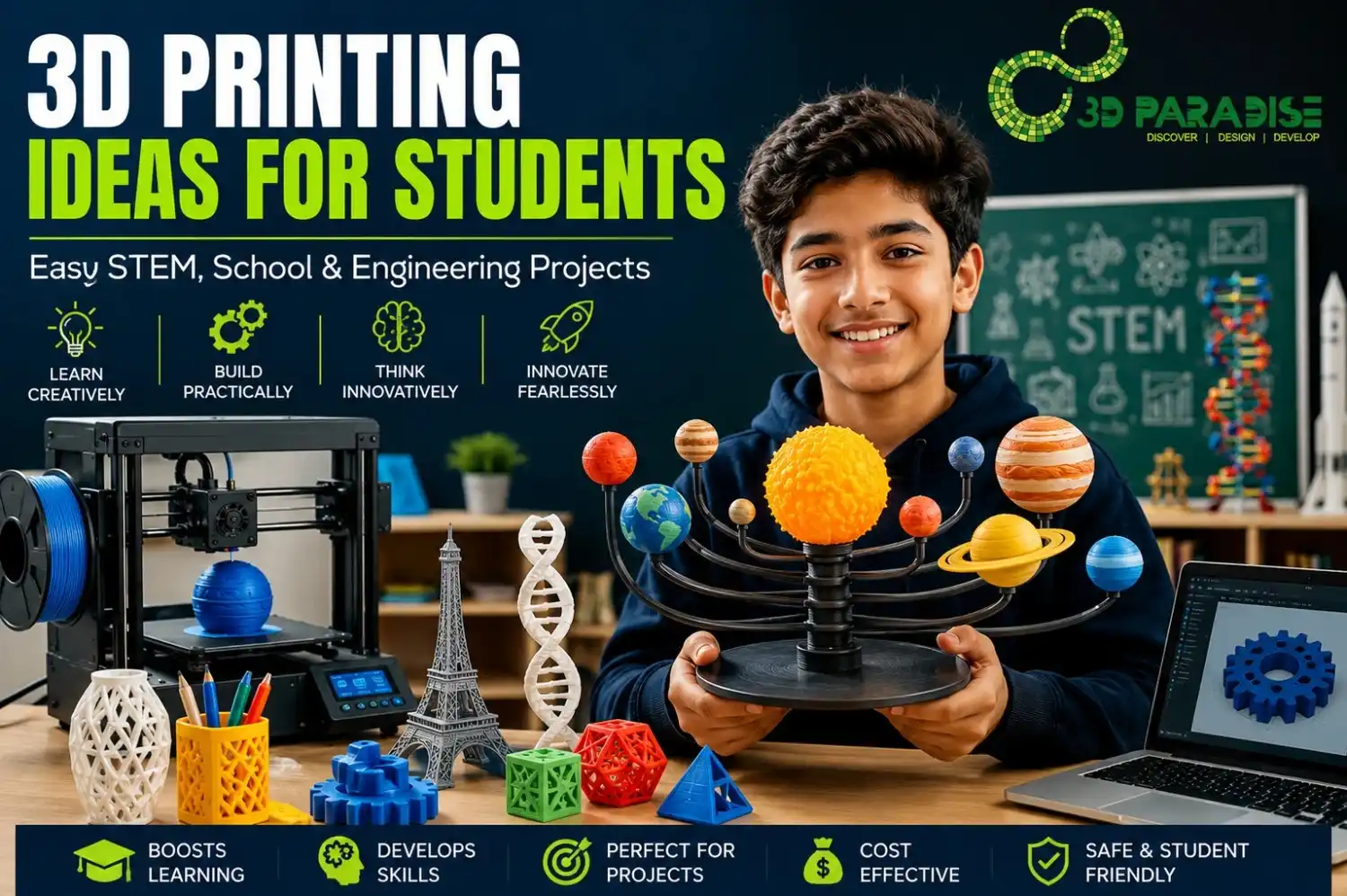
The best 3D printing ideas for students range from simple desk organizers and phone stands for absolute beginners, to solar system models and plant cell diagrams for school science fairs, to robotics parts and mechanical gears for engineering coursework. This guide covers 15 tested 3D printing projects for students, grouped by beginner, school, and college level, with cost, print time, and material guidance for each.
3D printing is the process of building a physical object layer by layer from a digital design, using materials like PLA plastic or resin. For students, it turns abstract classroom concepts – geometry, cell biology, mechanics – into objects you can hold, test, and improve.
Why 3D Printing Helps Students Learn Better
Hands-on building improves retention faster than reading alone, and that is exactly what 3D printing offers a classroom. Traditional diagrams and textbook illustrations are flat. A 3D printed model of a heart valve or a gear train lets a student rotate it, disassemble it, and see how the parts actually interact. This shift from passive reading to active building is what makes educational 3D printing so effective across CBSE and ICSE schools, and engineering colleges supported by the Atal Innovation Mission.
Benefits in STEM Education
- Concept retention improves when students build a model instead of just reading about it – you remember what you design.
- Faster feedback loops: a failed print teaches tolerance and measurement errors faster than a lecture on the same topic.
- Bridges theory and application, especially in physics (gear ratios, load-bearing structures) and biology (cell structures, anatomical models).
- Supports project-based learning required under India’s National Education Policy 2020, which pushes for hands-on, experiential STEM education.
Skills Students Develop
Beyond the finished model, students pick up CAD design skills using tools like Tinkercad and Fusion 360, spatial reasoning, patience with iterative design, basic materials science, and troubleshooting when a print fails. These are the same skills valued in robotics competitions like FIRST Robotics and in engineering college portfolios.
Quick Project Selection Guide
Not sure where to start? Use this at-a-glance guide before choosing a project
| If you are… | Start with… | Why |
|---|---|---|
| A first-time printer, any age | Keychain or bookmark | Fastest print, lowest failure risk |
| A school student (grades 6–10) | Math model or plant cell | Curriculum-aligned, moderate difficulty |
| Preparing for a science exhibition | Solar system or hydraulic lift model | Visual, interactive, judge-friendly |
| A college or engineering student | Gear train or robotics bracket | Demonstrates functional design skill |
| Working with a tight budget | Bookmarks, keychains, phone stands | Under ₹30 in filament |
| Building a portfolio | Any functional part with documented iterations | Shows design process, not just output |
How to Choose the Right 3D Printing Project
Picking a project that matches your actual skill level prevents wasted filament and frustration. In short: match your project to your age group, current skill level, budget, and subject requirement before you start designing or downloading a file.
Choose by Age
- Ages 8–12: Keychains, bookmarks, simple puzzle cubes – low detail, short print time.
- Ages 13–16: Desk organizers, phone stands, basic geometric math models.
- Ages 17+ (college/engineering): Functional parts – gears, drone components, robotics brackets.
Choose by Skill Level
- Beginner: No prior CAD experience; use pre-made STL files from free libraries.
- Intermediate: Comfortable in Tinkercad; can modify existing designs.
- Advanced: Designs original parts in Fusion 360 with tolerances for moving assemblies.
Choose by Budget
Beginner projects typically cost ₹20–₹80 in filament. Intermediate school projects run ₹80–₹250. Advanced engineering prints with supports or multiple parts can reach ₹300–₹800, depending on size and material.
Choose by Subject
Match the project to your subject requirement – math models for geometry class, plant cells for biology, bridge models for civil engineering basics, or wind turbines for renewable energy units.
Easy 3D Printing Ideas for Beginners
These beginner 3D printing ideas and easy 3D printing projects need no prior design experience and use minimal filament, making them the right entry point for anyone new to a printer.
1. Desk Organizer
A stackable tray for pens and stationery, and a genuinely useful first print because it teaches basic dimensioning without any curved surfaces. Print time: 2–3 hours. Material: about 40g PLA. Cost: ₹35–₹50.
2. Phone Stand
A simple angled cradle, printable in one piece with no supports needed. A good second project once bed adhesion is confirmed. Print time: 1–2 hours. Cost: ₹20–₹30.
3. Bookmarks
Thin, flat designs with personalized initials or shapes – the ideal first print for testing whether a new printer is calibrated correctly. Print time: 30–45 minutes. Cost: under ₹15.
4. Puzzle Cube
A mechanical interlocking puzzle that teaches tolerance and clearance between moving parts, since pieces that are too tight will not separate after printing. Print time: 3–4 hours. Cost: ₹50–₹70.
5. Keychains
Custom name tags or school logos – a fast, satisfying first design exercise in Tinkercad that most students complete in a single class period. Print time: 20–30 minutes. Cost: under ₹10.
School 3D Printing Project Ideas
These school 3D printing projects align directly with CBSE and ICSE science and math curricula, and most can be completed within a single term.
6. Mathematics Models
Printable polyhedrons, fraction blocks, or volume-demonstration shapes make geometry tangible for younger students who otherwise only see these shapes drawn on a board.
7. Science Fair Models
Working models – like a simple hydraulic lift or a lung-diaphragm demonstration – stand out at exhibitions because judges can see moving mechanisms, not just static charts.
8. Solar System
A scaled planetary model with a rotating arm mechanism teaches orbital motion better than a poster. Print time: 6–8 hours across all parts.
9. Plant Cell
A cross-section model with removable organelles helps biology students identify structures physically rather than memorizing labeled diagrams.
10. Geography Models
Topographic terrain models showing contour elevation are excellent for teaching landform concepts in physical geography, and can be painted afterward for added clarity.
College & Engineering 3D Printing Ideas
Engineering mini projects using 3D printing are highly valued for portfolios, hackathon submissions, and internship applications.
11. Robotics Parts
Custom chassis brackets, wheel hubs, and sensor mounts for robotics competitions – directly usable in FIRST Robotics style builds and easy to iterate between competition rounds.
12. Mechanical Gears
Printed gear trains demonstrate torque and speed ratios; a functional working gearbox is a strong mechanical engineering mini-project that also tests print tolerance skills.
13. Drone Components
Lightweight frame arms and camera mounts, usually printed in PETG for added durability under vibration and minor impact.
14. Bridge Models
Load-testing bridge designs teach structural engineering fundamentals – students can physically test failure points and record breaking load as data for a report.
15. Wind Turbine
A small-scale turbine with printed blades demonstrates renewable energy concepts and can be paired with a basic generator for a working demo at exhibitions.
Project Comparison Table
| Project | Difficulty | Material | Print Time | Approx Cost | Suitable For |
|---|---|---|---|---|---|
| Desk Organizer | Beginner | PLA | 2–3 hrs | ₹35–₹50 | Ages 10+ |
| Phone Stand | Beginner | PLA | 1–2 hrs | ₹20–₹30 | Ages 10+ |
| Bookmarks | Beginner | PLA | 30–45 min | Under ₹15 | Ages 8+ |
| Puzzle Cube | Beginner | PLA | 3–4 hrs | ₹50–₹70 | Ages 10+ |
| Keychains | Beginner | PLA | 20–30 min | Under ₹10 | Ages 8+ |
| Mathematics Models | Intermediate | PLA | 2–4 hrs | ₹40–₹90 | Grades 6–10 |
| Science Fair Models | Intermediate | PLA/PETG | 4–6 hrs | ₹100–₹200 | Grades 8–12 |
| Solar System | Intermediate | PLA | 6–8 hrs | ₹150–₹250 | Grades 6–10 |
| Plant Cell | Intermediate | PLA | 3–5 hrs | ₹80–₹150 | Grades 8–10 |
| Geography Models | Intermediate | PLA | 3–5 hrs | ₹80–₹150 | Grades 6–10 |
| Robotics Parts | Advanced | PETG/ABS | 3–6 hrs | ₹150–₹350 | College/Engineering |
| Mechanical Gears | Advanced | PETG | 4–7 hrs | ₹150–₹300 | College/Engineering |
| Drone Components | Advanced | PETG | 5–8 hrs | ₹200–₹400 | College/Engineering |
| Bridge Models | Advanced | PLA/PETG | 5–9 hrs | ₹250–₹500 | College/Engineering |
| Wind Turbine | Advanced | PLA/PETG | 6–10 hrs | ₹300–₹800 | College/Engineering |
Best STEM Activities Using 3D Printing
- Physics: Printed pulley systems, inclined planes, and pendulum mounts for force and motion experiments.
- Biology: Anatomical cross-sections – eyes, hearts, or cell structures – for detailed study without needing preserved specimens.
- Chemistry: Molecular structure models showing bond angles, useful for organic chemistry visualization.
- Engineering: Functional prototypes like grippers, hinges, and linkages that demonstrate mechanical principles directly.
Best Materials for Student Projects
Choosing the right filament affects both print quality and durability, and this is one of the most common questions from first-time buyers. In short: PLA is the safest choice for most school projects, PETG suits functional parts, and resin is best reserved for detailed models under adult supervision.
| Material | Best For | Strength | Ease of Printing | Approx. Cost/kg |
|---|---|---|---|---|
| PLA | Beginners, models, display pieces | Moderate | Very Easy | ₹800–₹1,200 |
| PETG | Functional parts, outdoor use | High | Easy | ₹1,000–₹1,500 |
| ABS | Heat-resistant parts, enclosures | High | Moderate (needs enclosure) | ₹900–₹1,300 |
| TPU | Flexible parts, phone cases, hinges | Flexible | Moderate | ₹1,400–₹2,000 |
| Resin | Detailed miniatures, dental/anatomy models | High detail | Advanced (needs curing, ventilation) | ₹2,500–₹4,000/L |
Free CAD Software & STL Resources for Students
CAD Software
- Tinkercad – browser-based, ideal for absolute beginners and younger students.
- Fusion 360 – free for students and educators, suited for precise engineering designs with proper tolerances.
- Ultimaker Cura and PrusaSlicer – free slicing software (an FDM printer’s STL-to-machine-code translator) that converts a 3D model into printer instructions.
STL Libraries
Free, education-tagged STL repositories let beginners download ready-made models instead of designing from scratch – a good starting point before learning full CAD design.
Safety Guidelines for Student 3D Printing
- Never touch the nozzle or heated bed during or immediately after printing – both can exceed 200°C.
- Keep long hair and loose clothing away from moving print heads.
- Use resin printers only in ventilated areas with gloves, since uncured resin is a skin irritant.
- Always have an adult or teacher supervise first-time printer setup.
- Keep printers on a stable, heat-resistant surface away from curtains or paper.
Common Design Mistakes Beginners Make
- Skipping bed leveling, which causes the first layer to fail or not stick at all.
- Choosing overly detailed designs too early, leading to repeated failed prints and wasted filament.
- Ignoring supports for overhangs, causing sagging or drooping in the print.
- Wrong infill settings – too low makes parts fragile, too high wastes material and time unnecessarily.
- Not checking print orientation, which affects both strength and surface finish.
Beginner Printing Tips
- Start with a small, flat object to confirm bed adhesion before attempting anything tall or detailed.
- Keep infill around 15–20% for display models and 30–40% for functional parts that need to bear load.
- Save slicer profiles once they work well, rather than adjusting settings from scratch for every print.
- Print a calibration cube first if you are new to a specific printer, since every machine behaves slightly differently.
Teacher Tips for Classroom Implementation
- Introduce Tinkercad in a single class period before assigning any print, so students are not learning software and content simultaneously.
- Group students into design and print roles for larger models, since not every student needs to run the slicer.
- Use failed prints as a teaching moment on tolerance and measurement rather than treating them as wasted attempts.
- Set a maximum print time per group to keep shared printers accessible to the whole class.
Parent Tips for Supporting Student Projects
- Supervise the first few prints directly, especially around the heated nozzle and bed.
- Budget for filament separately from the printer itself – a single roll typically covers 15–20 small student projects.
- Encourage your child to fix a failed print rather than reprinting immediately, since diagnosing the cause is where the real learning happens.
- For resin printing, ensure proper room ventilation before allowing any use.
How to Present a Science Exhibition Project
- Prepare a one-page explanation card describing what the model demonstrates and how it was designed.
- Where possible, make at least one part of the model move or interact, since judges consistently respond better to functional demonstrations than static displays.
- Bring the CAD file or a screenshot of the design process to show the thinking behind the final print, not just the result.
- Practice a 60-second explanation, since most judges spend under two minutes per project.
Portfolio Tips for Engineering Students
- Document the full design process, including early failed iterations, rather than only showing the final successful print.
- Include measured data where relevant, such as load-bearing results from a bridge model or gear ratio calculations.
- Keep a short write-up for each project explaining the design decision and what changed between versions.
- Prioritize functional projects like robotics parts or gear assemblies over purely decorative prints, since they demonstrate applied engineering skill.
Student Project Checklist
- Confirm project matches your age and skill level
- Choose material based on function (PLA for display, PETG for functional parts)
- Download or design the STL file
- Slice the file in Cura or PrusaSlicer and check supports/infill
- Level the print bed before starting
- Supervise the first layer to catch adhesion issues early
- Document the process with photos for portfolio or exhibition use
- Test the finished model before presenting or submitting it
Future of 3D Printing in Education
Classrooms are moving toward AI-assisted design tools that generate a base model from a text prompt, multi-material printers that combine flexible and rigid parts in one print, and greater use of recycled or sustainable filament in school makerspaces. Integration with Arduino and IoT sensors is also turning static 3D printed models into interactive learning tools – a trend growing fast in Atal Tinkering Labs across India.
At 3D Paradise, we have worked with schools, engineering colleges, startups, researchers, and educational institutions to manufacture educational models, science projects, robotics parts, engineering prototypes, and functional learning aids. The pattern we see consistently is that students learn fastest when a project is slightly above their current skill level, not identical to something they have already done.
FAQs
1. What are the easiest 3D printing ideas for students?
Keychains, bookmarks, and phone stands are the easiest starting projects. They need minimal design skill, print quickly, and use very little filament, making them ideal for a first successful print.
2. Which 3D printer is best for beginners?
Entry-level FDM printers with auto bed-leveling and an enclosed frame are best for schools and beginners, since they reduce setup errors and are safer for supervised classroom use.
3. Can school students use 3D printers safely?
Yes, with adult supervision. Students should avoid touching heated components, keep hands clear during printing, and follow basic electrical safety around the printer’s power supply.
4. What software should beginners learn first?
Tinkercad is the best starting point due to its simple drag-and-drop interface. Students can later progress to Fusion 360 for more precise, engineering-grade designs.
5. Which filament is best for educational projects?
PLA is best for most educational projects because it’s easy to print, low-odor, and requires no heated enclosure, making it safe and reliable for classroom environments.
6. How much does a student project cost?
Beginner projects cost roughly ₹20–₹80, school-level models ₹80–₹250, and engineering projects with multiple parts ₹300–₹800, depending on size, material, and print time.
7. What are good engineering mini projects?
Functional gear trains, robotic arm joints, drone frame components, and small-scale wind turbine blades are strong engineering mini-projects that demonstrate real mechanical principles.
8. Can I use 3D printing for science exhibitions?
Yes. Working models like hydraulic lifts, solar system orbit demonstrations, and plant cell cross-sections perform well at exhibitions since judges can interact with moving parts.
9. How long does a typical student project take to print?
Simple beginner projects take 30 minutes to 3 hours. School-level models take 4–8 hours. Complex engineering assemblies can take 10 or more hours across multiple printed parts.
10. Where can students download free STL files?
Several free online STL libraries offer education-tagged models, ranging from math manipulatives to anatomical models, suitable for direct printing or as a base for customization.
11. What mistakes should beginners avoid?
Avoid skipping bed leveling, choosing overly complex first projects, ignoring support settings for overhangs, and using incorrect infill percentages that make prints too weak or wasteful.
12. Can 3D printed parts be used in robotics competitions?
Yes. Many robotics teams, including those following FIRST Robotics formats, use 3D printed brackets, wheel hubs, and sensor mounts as lightweight, customizable functional parts.
13. Is resin printing suitable for classrooms?
Resin printing needs more caution due to liquid chemicals and required ventilation. It’s better suited for supervised advanced projects rather than general classroom use by younger students.
14. How can 3D printing help build a student portfolio?
Documented projects – from design file to finished print – show problem-solving and technical skill to college admissions or recruiters, making 3D printing a strong portfolio-building tool.
15. Is 3D printing expensive for a school to set up?
An entry-level classroom setup, including one printer and a term’s worth of PLA filament, typically costs less than a single set of lab equipment, making it accessible for most school budgets.
16. Can two students share one printer for separate projects?
Yes, with scheduling. Since most beginner prints take under three hours, a shared printer can comfortably serve a small class if print time is planned in advance.
17. Do 3D printed models need painting or finishing?
Not always. Functional and demonstration models are fine unpainted, but exhibition models like solar systems or geography terrain often look clearer with basic acrylic paint after printing.
Conclusion
From a first keychain print to a functional robotics gear train, student innovation projects built through 3D printing work best when matched to age, skill level, and subject. Start simple, understand your material choices, and treat every failed print as a design lesson rather than a setback. As schools and colleges across India increasingly adopt hands-on STEM learning, 3D printing has become one of the most practical ways to turn classroom concepts into real, testable objects.
If you are planning a school model, a science exhibition piece, or an engineering prototype and want guidance on materials, design files, or printing, 3D Paradise is glad to help students, teachers, and institutions bring these projects to life.